
The world of the internet is vast, complex, and dynamic. Every website you visit, from simple blogs to sophisticated web applications, relies on a core set of technologies that make it possible for users to interact, browse, and consume content. Among these technologies, one stands out as the foundation of the web: HTML, or HyperText Markup Language. Often described as the backbone of web pages, HTML is the language that structures content and enables the creation of interactive, accessible, and visually appealing websites. Understanding HTML is crucial for anyone looking to venture into web development, digital design, or even content management.
The Origins of HTML
HTML was first developed in the early 1990s by Tim Berners-Lee, a physicist and computer scientist working at CERN. His goal was to create a universal language for sharing documents over the internet. The idea was revolutionary at the time. Instead of sending static documents via email or proprietary formats, HTML allowed the creation of hyperlinked documents that could be accessed anywhere in the world using a web browser. This marked the beginning of the World Wide Web as we know it today.
Initially, HTML was simple. It consisted of a small set of tags that allowed users to define headings, paragraphs, links, and lists. However, as the internet grew in popularity, the language evolved, introducing new elements and attributes to accommodate more complex layouts, multimedia, and interactive content.
Understanding HTML Structure

HTML is a markup language, which means it is used to “mark up” text and other content with tags that tell a web browser how to display them. Unlike programming languages that perform calculations or logical operations, HTML focuses purely on structure and organization.
A basic HTML document consists of several key components:
- Doctype Declaration: This is the first line in any HTML document and tells the browser which version of HTML is being used. For modern websites, this is usually
<!DOCTYPE html>. - HTML Element: Enclosed in
<html>tags, this is the root element of the document. Everything else is nested inside it. - Head Section: Defined with
<head>tags, this section contains meta-information about the page, such as its title, character encoding, and references to stylesheets or scripts. - Body Section: Enclosed in
<body>tags, this is where all visible content resides, including text, images, videos, and interactive elements.
Each element in HTML is typically represented by tags, which come in pairs: an opening tag <tagname> and a closing tag </tagname>. Some elements, known as self-closing tags, do not require a closing counterpart. For example, the line break element <br> inserts a new line without needing a closing tag.
The Importance of HTML in Web Development
HTML serves as the foundation for all web content. Without it, web browsers would have no way of understanding how to display text, images, or multimedia. Here are a few reasons why HTML is indispensable in web development:
- Structure and Organization: HTML defines the structure of a web page. Headings, paragraphs, lists, tables, and forms are all created using HTML tags, giving the content hierarchy and meaning.
- Accessibility: Proper use of HTML ensures that websites are accessible to people with disabilities. Elements like
<alt>attributes for images and semantic tags like<header>and<footer>help screen readers interpret the content. - Search Engine Optimization (SEO): Search engines rely on HTML to understand the content of a page. Well-structured HTML with appropriate headings, meta descriptions, and semantic elements improves a website’s visibility in search results.
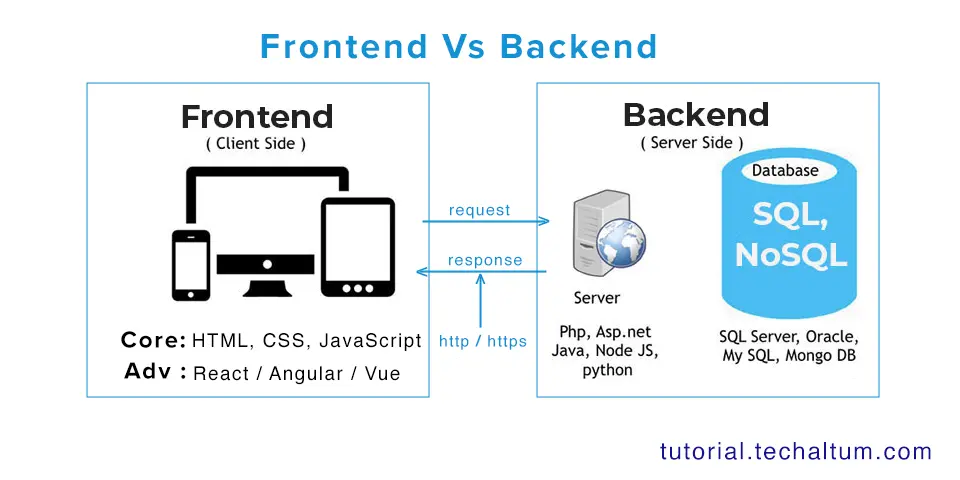
- Integration with Other Technologies: HTML works hand in hand with CSS (Cascading Style Sheets) and JavaScript. While HTML provides the structure, CSS handles presentation and styling, and JavaScript adds interactivity.
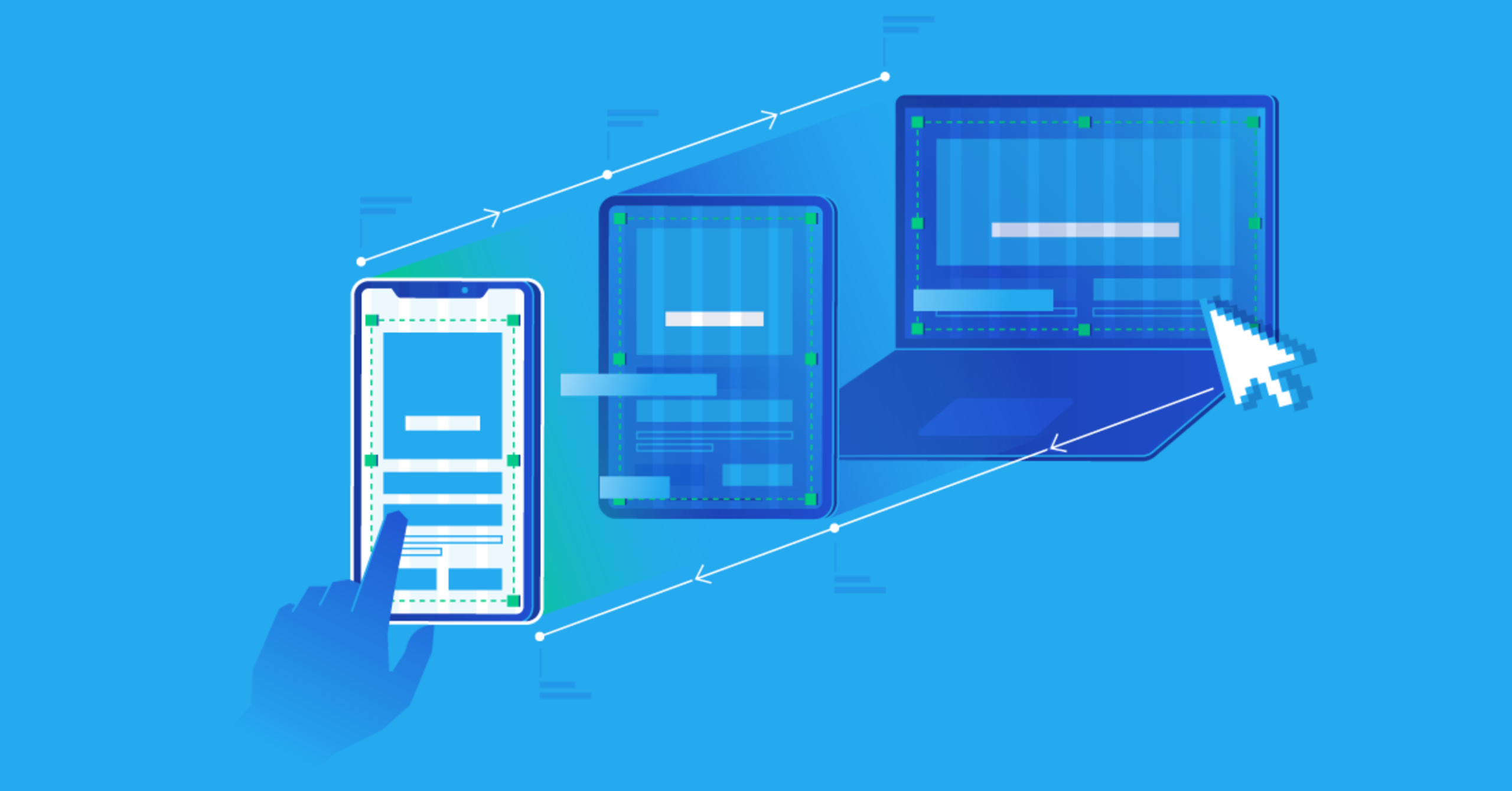
- Cross-Platform Compatibility: HTML is universally supported by all web browsers and devices, ensuring that content can be accessed consistently across desktops, tablets, and smartphones.
Key HTML Elements
HTML offers a wide range of elements that serve different purposes. Some of the most essential elements include:
- Headings:
<h1>to<h6>tags define headings of different levels, giving content a clear hierarchy. - Paragraphs:
<p>tags create paragraphs of text. - Links:
<a>tags allow navigation between pages or websites. - Images:
<img>tags display images on the page. - Lists:
<ul>and<ol>create unordered and ordered lists, respectively. - Tables:
<table>,<tr>,<td>, and<th>are used to organize data in tabular form. - Forms:
<form>and its related elements allow users to submit data through input fields, checkboxes, and buttons.
Additionally, semantic elements like <article>, <section>, <aside>, and <nav> provide meaning to different parts of a web page, making it easier for both humans and machines to understand the content.
HTML5 – The Modern Standard
The latest version of HTML, HTML5, has brought significant improvements and new capabilities to web development. HTML5 is not just about structure; it introduces features that make websites more interactive and multimedia-friendly. Some of the key advancements include:
- Multimedia Support: HTML5 provides native support for audio and video through
<audio>and<video>tags, eliminating the need for third-party plugins like Flash. - Graphics and Animation: The
<canvas>element allows developers to draw graphics and animations directly within the browser. - Semantic Elements: New elements such as
<header>,<footer>,<main>, and<figure>improve the semantic clarity of web pages. - Forms and Input Types: HTML5 introduces new input types, such as email, date, and range, enhancing user experience and form validation.
- Offline and Local Storage: HTML5 enables web applications to store data locally, allowing functionality even when users are offline.
These enhancements make HTML5 the backbone of modern web applications, enabling developers to create rich, responsive, and interactive websites without relying heavily on external tools or plugins.
Best Practices for Writing HTML
Writing clean, well-structured HTML is crucial for maintainability, performance, and accessibility. Some best practices include:
- Use Semantic Tags: Always prefer semantic elements over generic
<div>tags to give meaning to your content. - Keep It Organized: Proper indentation and spacing make HTML code easier to read and maintain.
- Validate Your Code: Use HTML validators to check for errors and ensure compliance with web standards.
- Separate Content and Presentation: Keep styling in CSS files and scripts in JavaScript files instead of embedding them in HTML.
- Optimize for Accessibility: Include descriptive alt attributes for images, use proper heading hierarchy, and ensure interactive elements are keyboard-navigable.
The Future of HTML
HTML continues to evolve alongside the web. While it is often taken for granted, it remains the most crucial tool for delivering content online. Emerging trends such as progressive web apps, virtual and augmented reality on the web, and increasingly sophisticated web applications all rely on HTML as the underlying structure. Its simplicity, universality, and adaptability ensure that it will remain the backbone of web development for years to come.
Conclusion
HTML is far more than just a collection of tags; it is the foundation upon which the internet is built. From the earliest static pages to today’s dynamic web applications, HTML has empowered developers to create structured, accessible, and interactive content. Its evolution into HTML5 has further expanded its capabilities, making it indispensable in modern web design and development. For anyone interested in web technologies, mastering HTML is the first step toward understanding the architecture of the web and contributing to the ever-growing digital landscape.
Whether you are a beginner learning to create your first website or an experienced developer building complex applications, HTML remains at the heart of your work. Its simplicity, versatility, and universal support make it not only the backbone of web pages but also the backbone of the internet itself.